v2 Alpha available for testing →

v2 Alpha

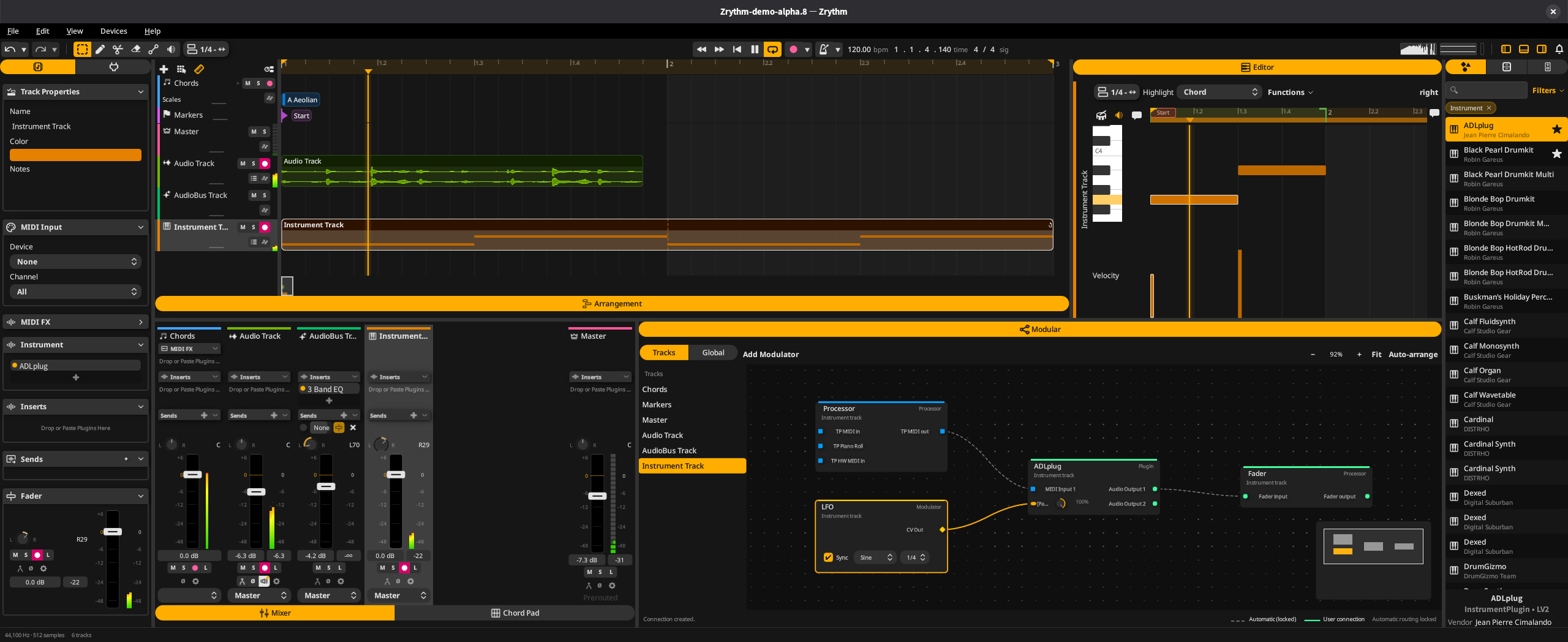
Zrythm v2 screenshot

Zrythm v2 is a major rewrite with improved cross-platform support and stability.

These builds are available for a limited time before the official release. Try v2 and send us your feedback.

Version: v2.0.0-alpha.8

다운로드

This is pre-release software for testing only. It may crash or lose data. Please do not use it for important projects.

SHA-256 checksums
  • GNU/Linux (x86_64 AppImage)
    7bb22f6dc939e860840d9cd2eaba0a64844d2cde6b5d79f96f72e5a3b0a2d842
  • GNU/Linux (aarch64 AppImage)
    4ce13dd36e9795a7dec267c10b53e870d88c2647cb4b95fb4ec926055a5d3d91
  • Windows (x64)
    bdd00493fba91aaf4bba10d1a9a16513d95cefc4a582f2ead899ad048b8b2f96
  • Windows (ARM64EC, experimental)
    00a8e6140afd19611e6ef624d3a2442aeceb3496e50d5957ddf980aa024ada1e
  • macOS (Apple Silicon & Intel)
    3476f6a8c0a9430fcafc8c9bb660fdc93e27c4a1cc5952224ec01ae34fc9b754

Verify your download against SHA256SUMS (sha256sum -c)

Installation Instructions

On Windows and macOS, double-click the installer and follow the instructions.

On GNU/Linux, mark the AppImage as executable and run it. For example:

chmod +x Zrythm-*.AppImage && ./Zrythm-*.AppImage

System Requirements

  • GNU/Linux: GNU libc 2.35 or newer (for example Ubuntu 22.04, Debian 12, or Fedora 36), X11 or Xwayland, and an x86_64 CPU with AVX support (most CPUs since 2011) or an aarch64 CPU
  • Windows: Windows 10 (October 2018 update or newer) or Windows 11, with AVX support
  • macOS: macOS 13 (Ventura) or newer

What to Expect

  • Projects saved in v2 cannot be opened in v1, and projects saved in v1 cannot be opened in v2
  • Some features from v1 are not available yet
  • Crashes, data loss, and other problems are possible
  • Please report any problems on the issue tracker. Every report helps us make v2 better.